Records are scattered
Equipment information, checklist and repair history in many files, many parts.
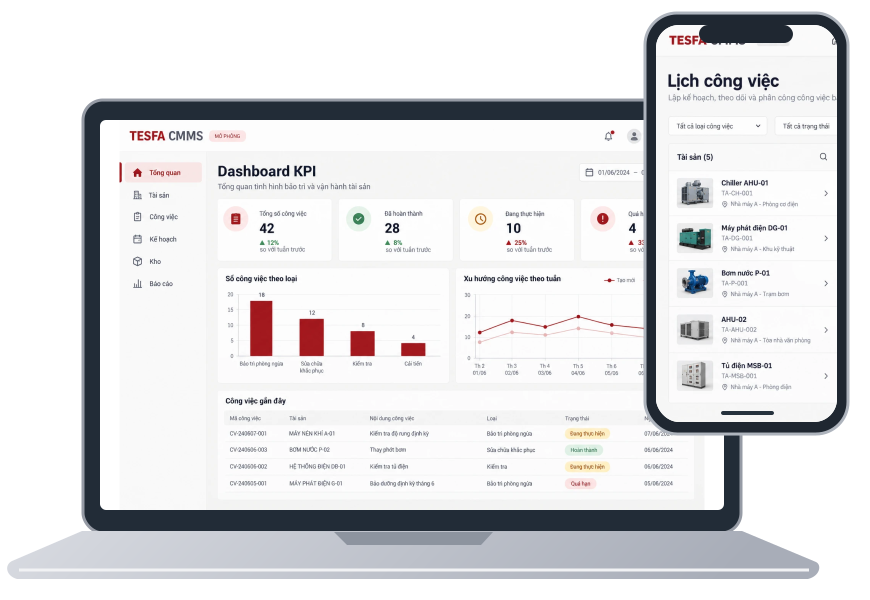
TESFA CMMS brings assets, maintenance plans and work orders together in one place. Keep operations running and maintenance under control.
A malfunctioning device can result in multiple calls, multiple files, and multiple waits. CMMS helps reconnect separated information.
Equipment information, checklist and repair history in many files, many parts.
Problems are detected late, recurring jobs are easily missed when monitoring manually.
It's difficult to know who's working, what's overdue, and why there's a backlog of work.
It's unclear whether there is a shortage of spare parts or which machine the spare parts are for.
Materials, man-hours and outsourcing have not been combined with work orders and assets.
Manual aggregation slows down looking back at KPI and prioritizing improvements.

CMMS is a software system that centralizes asset records, plans, work and maintenance resources. Each department has its own perspective, working together on the same data source.
Start with the right assets. Follow two incident or recurring streams. Finish with profiles, costs and data to be better prepared next time.
Select an item to see the role it performs, how the app supports it, and the value it brings.
Centrally monitor PM calendar, processing deadlines and notifications.
Clear priorities, who is in charge, and work status.
Records, checklists and history are attached to the device.
Compare parts, labor and costs by job.
KPI and trends support the selection of things that need improvement.
Clarify the need for system integration of the business.
These are the expected values; Effectiveness depends on the scope of implementation, data quality and how the team operates the process.
Six business groups follow the work flow. Select each group to see detailed information.
One place to organize equipment records, installation locations, and maintenance history. Information has context and is easy to find when needed.
Centralize failure reporting information, identify equipment and treatment needs before organizing work.
Manage recurring maintenance plans and work instructions in one place. Give the whole team a clear view of upcoming tasks.
Clearly see what needs to be done, who is in charge and the processing status. Keep information perform the same process.
Organize spare parts catalogs and usage information to prepare resources for maintenance work.
Review work, history and costs according to management needs. Determine what information the team needs to measure.
Information is tied to assets and work orders, helping users look up and managers compare.
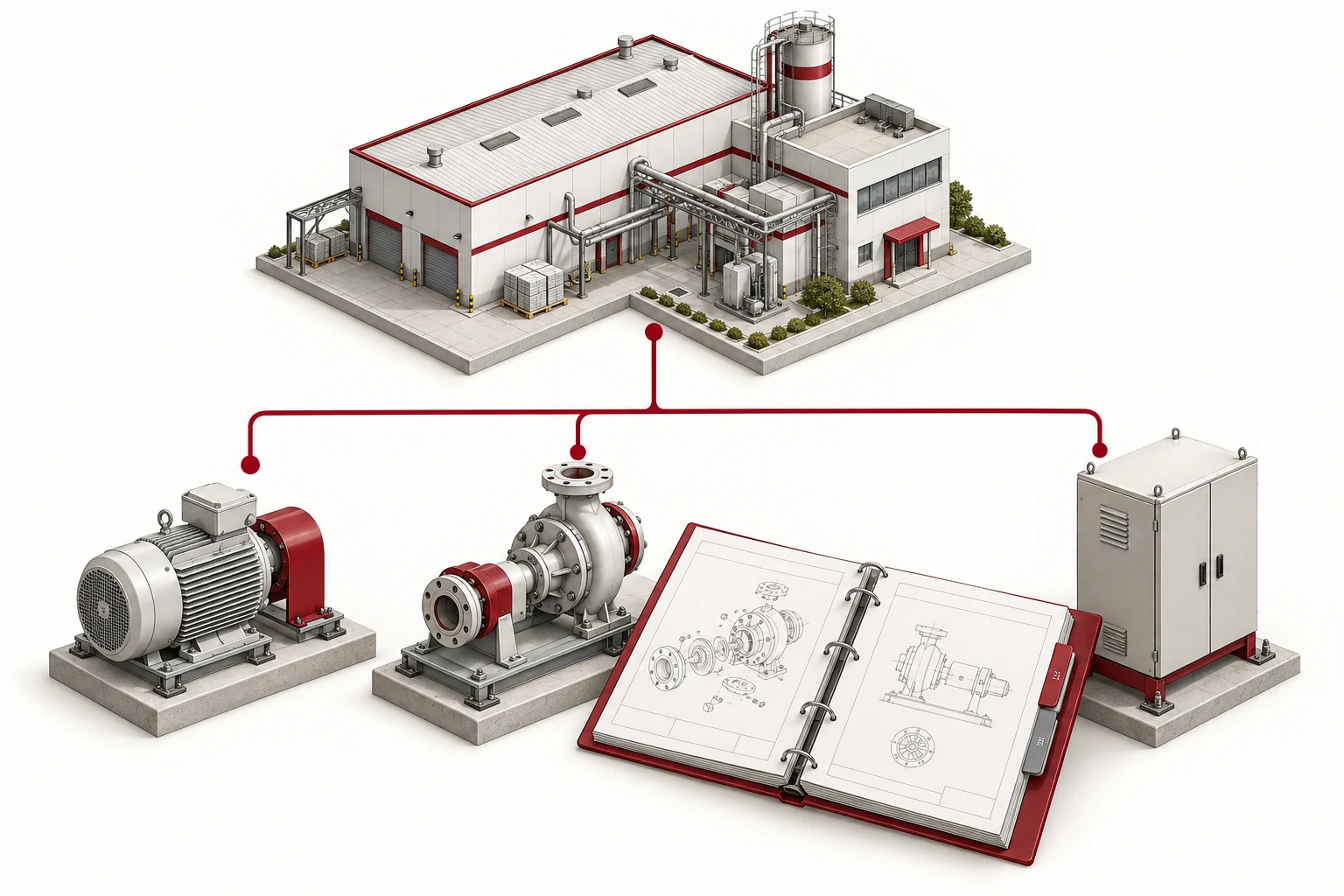
Factory tree, location, and parent–child properties; Technical documentation, repair history and related spare parts are found in the same context.
Explore asset management
Track progress and backlog; Gathering materials, labor, outsourcing according to work and assets. Indicator definitions are agreed upon before evaluation.
Explore reports & KPIManagers need a holistic perspective. The person doing the job needs the right job and the right instructions. Warehouse and purchasing need to know the resources that must be prepared.
Monitor KPI, backlog, costs and asset status; Prioritize resources.

Receive requests, evaluate priorities, plan and assign work orders.

Receive work, perform checklist, record causes, time and materials.
Check inventory, prepare and record spare parts production according to the job.

Receive purchase requests, ask for quotes, track suppliers and purchase orders.

CMMS is where maintenance work is organized. When the need arises, equipment, material or alarm data can be brought within scope for integration with enterprise systems.
PLC/SCADA, IoT, ERP, OEE and AI Maintenance are expansion directions that require separate investigation in terms of data, protocols, resources and deployment scope.
Communicate integration needsAssets · Work · Plans · Materials · Reports
Records · Attachments · Logs · Backup/restore
Deployment starts with data and users. Let's agree on the scope, coordination and criteria for reviewing results.
Unify device groups, prioritized processes, roles, and metrics to track.
Prepare asset tree, checklist, PM schedule and supplies; Take a look at the job.
Guide by role, review implementation data and then expand step by step.
A clear starting point before bringing data into CMMS.
Go from a prioritized set of devices to an actionable plan.
Unify information from recording to completion.
Share your device fleet, current practices, and what you want to improve. TESFA will jointly clarify the scope of data, operations and implementation.
Tell us a little about your needs so we can prepare a relevant discussion.
The information is used to process the request you submit.